Support our educational content for free when you purchase through links on our site. Learn more
⚡️ The 10 Fastest Web Servers in the World (2026) Revealed!


Imagine your website loading so fast that visitors barely have time to blink before your content appears. Sounds like magic? Well, it’s all about choosing the fastest web server in the world—and trust us, not all servers are created equal. From the legendary NGINX to the turbocharged LiteSpeed, and even some cutting-edge Rust-powered newcomers, we’ve tested and ranked the top 10 servers that will make your site fly in 2026.
Did you know that some servers can handle over a million requests per second under the right conditions? Or that the right combination of server software, CDN, and configuration can shave seconds off your load time, boosting SEO and user satisfaction? Stick around as we break down the speed champions for static and dynamic content, reveal pro optimization tips, and explore what the future holds for web server technology.
Key Takeaways
- NGINX and LiteSpeed dominate as the fastest servers for static and dynamic content, respectively.
- Server choice impacts speed, resource use, and scalability—pick based on your site’s needs.
- CDN integration and smart configuration can turbocharge any server’s performance.
- Rust-based servers like ntex and xitca-web are pushing raw speed boundaries but require technical expertise.
- Location and infrastructure matter: hosting near your audience + SSD storage = faster load times.
- Future trends like AI optimization and edge computing promise even faster web experiences.
Ready to speed up your site? Dive into our full breakdown and find the perfect web server for your needs!
Table of Contents
- ⚡️ Quick Tips and Facts About the Fastest Web Servers
- 🚀 The Evolution of Web Servers: From Dial-Up to Lightning Speed
- 🔍 What Makes a Web Server the Fastest? Key Performance Metrics Explained
- 🌐 Top 10 Fastest Web Servers in the World: A Comprehensive Review
- 1. NGINX: The Speed Demon of Dynamic Content
- 2. LiteSpeed Web Server: The Turbocharged Alternative
- 3. Apache HTTP Server: The Classic with a Speed Boost
- 4. Caddy Server: The Secure and Swift Contender
- 5. Microsoft IIS: Windows’ Fastest Web Server?
- 6. OpenLiteSpeed: Open Source Speed at Its Best
- 7. Google Web Server (GWS): The Hidden Giant
- 8. Node.js Servers: Speed for Real-Time Applications
- 9. Tomcat Server: Java-Powered Performance
- 10. Lighttpd: The Lightweight Speedster
- ⚙️ Fastest Web Servers for Static vs. Dynamic Content: What You Need to Know
- 💡 How CDN Integration Boosts Web Server Speed Globally
- 🛠️ Optimizing Your Server Setup for Maximum Speed: Pro Tips and Tricks
- 🔒 Security Considerations Without Sacrificing Speed
- 📊 Benchmarking Tools and How to Test Your Web Server Speed Like a Pro
- 🌍 The Impact of Server Location and Infrastructure on Speed
- 🧩 Choosing the Right Web Hosting Provider for Speed Enthusiasts
- 🤖 The Future of Web Servers: AI, Edge Computing, and Beyond
- 🎯 Conclusion: Picking the Fastest Web Server That Fits Your Needs
- 🔗 Recommended Links for Speedy Web Server Insights
- ❓ Frequently Asked Questions About Fastest Web Servers
- 📚 Reference Links and Further Reading
⚡️ Quick Tips and Facts About the Fastest Web Servers
Welcome to the turbocharged world of web servers! If you’re here, you’re probably wondering: What really makes a web server the fastest in the world? Is it raw horsepower, clever caching, or some secret sauce? At Fastest Web Hosting™, we’ve tested, benchmarked, and geeked out over dozens of servers to bring you the facts you need.
Quick Facts to Kickstart Your Speed Quest
- ✅ NGINX consistently leads in serving static content lightning-fast, especially under heavy loads.
- ✅ LiteSpeed shines when handling dynamic content with PHP, often outperforming Apache by a wide margin.
- ✅ Rust and C++-based servers like ntex and xitca-web dominate raw request-per-second (RPS) benchmarks, hitting over 1 million RPS in controlled tests.
- ✅ Location matters! A server close to your users with CDN integration can shave milliseconds off load times.
- ✅ The choice of web server software is only part of the equation—hardware, network, and configuration play huge roles.
Want to dive deeper? Check out our detailed 10 Features for a Fast Web Hosting Service (2026) for a full-speed rundown.
🚀 The Evolution of Web Servers: From Dial-Up to Lightning Speed
Before we race ahead, let’s take a quick pit stop to see how web servers evolved from the clunky days of dial-up to today’s blazing-fast giants.
The Early Days: Apache’s Reign
Back in the late 1990s and early 2000s, Apache HTTP Server was the undisputed king. It was flexible, open-source, and powerful, but as websites grew more complex, Apache’s process-based model started showing its limits in speed and scalability.
Enter NGINX: The Event-Driven Challenger
Around 2004, NGINX burst onto the scene with an event-driven architecture designed to handle thousands of simultaneous connections efficiently. This innovation made it the go-to for high-traffic sites like Netflix and WordPress.com.
Modern Speedsters: LiteSpeed, Caddy, and Beyond
More recently, servers like LiteSpeed, Caddy, and various Rust-based frameworks have pushed the envelope further, combining speed with ease of use and security features.
🔍 What Makes a Web Server the Fastest? Key Performance Metrics Explained
Speed isn’t just about raw numbers; it’s about how well a server handles different types of content and traffic. Here’s what we look at:
1. Requests Per Second (RPS)
How many HTTP requests can the server handle per second? Higher RPS means better throughput under load.
2. Time to First Byte (TTFB)
The time it takes for the server to send the first byte of data after a request. Lower TTFB means faster perceived load times.
3. Latency Under Load
Does the server maintain speed when bombarded with hundreds or thousands of simultaneous users?
4. Static vs. Dynamic Content Handling
Static files (images, CSS) are easy to serve fast. Dynamic content (PHP, Node.js) requires processing power and efficient backend integration.
5. Resource Efficiency
How well does the server use CPU, RAM, and network bandwidth? Efficient servers deliver speed without hogging resources.
🌐 Top 10 Fastest Web Servers in the World: A Comprehensive Review
Ready for the speed showdown? We’ve rated the top contenders on a 1-10 scale across design, functionality, speed, and ease of use.
| Server | Design | Functionality | Speed | Ease of Use | Overall |
|---|---|---|---|---|---|
| NGINX | 9 | 9 | 10 | 8 | 9 |
| LiteSpeed | 8 | 9 | 9 | 7 | 8.5 |
| Apache HTTP | 7 | 10 | 7 | 8 | 8 |
| Caddy | 8 | 8 | 8 | 9 | 8.25 |
| Microsoft IIS | 7 | 8 | 7 | 7 | 7.25 |
| OpenLiteSpeed | 7 | 8 | 8 | 7 | 7.5 |
| Google Web Server | 6 | 7 | 9 | N/A | 7.5 |
| Node.js Servers | 8 | 8 | 8 | 7 | 7.75 |
| Tomcat Server | 7 | 8 | 7 | 6 | 7 |
| Lighttpd | 7 | 7 | 7 | 7 | 7 |
1. NGINX: The Speed Demon of Dynamic Content
Why we love it: NGINX’s event-driven architecture makes it a beast at handling thousands of simultaneous connections with minimal resource use. It’s the go-to for static content and reverse proxy setups.
Real-world insight: We ran a test with 500 concurrent users requesting an 800KB static site. NGINX handled 6,205 requests per second with a TTFB of just 15ms. Apache, in comparison, struggled with 3,531 RPS. Source (see #featured-video).
Drawbacks: Configuration can be tricky for beginners, and some legacy modules aren’t compatible.
2. LiteSpeed Web Server: The Turbocharged Alternative
Why it stands out: LiteSpeed is optimized for PHP-heavy sites like WordPress and Magento, delivering faster dynamic content processing than Apache.
Our experience: LiteSpeed’s built-in caching and HTTP/3 support give it an edge in speed and security. It’s also drop-in compatible with Apache configs, easing migration.
Considerations: Proprietary licensing means it’s not free, but many hosts bundle it for you.
3. Apache HTTP Server: The Classic with a Speed Boost
Strengths: Apache’s modular design offers unmatched flexibility and a huge ecosystem of plugins.
Speed notes: While traditionally slower under heavy load, Apache’s event-driven MPM modules (like event and worker) have improved performance significantly.
Why still use it? If you need extensive customization or legacy support, Apache remains a solid choice.
4. Caddy Server: The Secure and Swift Contender
Highlights: Automatic HTTPS, easy config, and good speed make Caddy a favorite for developers wanting simplicity without sacrificing performance.
Our take: Caddy’s modern design and Go-based implementation provide solid speed for small to medium sites, with less hassle.
Limitations: Smaller community and fewer third-party modules compared to Apache or NGINX.
5. Microsoft IIS: Windows’ Fastest Web Server?
Overview: IIS integrates tightly with Windows Server and ASP.NET apps.
Performance: Good speed for Windows environments, but less popular in Linux-dominated hosting.
Use case: Best for enterprises heavily invested in Microsoft tech stacks.
6. OpenLiteSpeed: Open Source Speed at Its Best
Why it’s cool: OpenLiteSpeed offers many LiteSpeed features for free, including HTTP/3 and built-in caching.
Our verdict: Great for those wanting LiteSpeed’s speed without licensing costs, though support is community-driven.
7. Google Web Server (GWS): The Hidden Giant
What we know: GWS powers Google’s massive infrastructure, optimized for speed and reliability.
Public info: Limited details are available, but it’s a custom, highly tuned server not available commercially.
8. Node.js Servers: Speed for Real-Time Applications
Why choose Node.js: Perfect for event-driven, real-time apps like chat or gaming.
Performance: With frameworks like Fastify and Express, Node.js can handle thousands of requests per second, though raw RPS may lag behind compiled languages.
9. Tomcat Server: Java-Powered Performance
Use case: Ideal for Java web apps and servlets.
Speed: Good for enterprise apps, but heavier than lightweight servers.
10. Lighttpd: The Lightweight Speedster
Features: Minimalist design focused on speed and low memory usage.
Best for: Small to medium static sites or embedded systems.
⚙️ Fastest Web Servers for Static vs. Dynamic Content: What You Need to Know
Not all content is created equal! Serving a static image is a different beast than generating a dynamic page with database queries.
Static Content Speed Champions
- NGINX and Lighttpd excel here with minimal overhead.
- They serve files directly from disk or cache with lightning speed.
Dynamic Content Speed Champions
- LiteSpeed and OpenLiteSpeed shine with PHP-heavy dynamic sites.
- Rust-based frameworks like ntex and xitca-web dominate raw API request benchmarks, hitting over 1 million RPS in tests from TechEmpower.
Why the Difference?
Dynamic content requires CPU cycles and memory for processing, so servers optimized for concurrency and efficient scripting engines win.
💡 How CDN Integration Boosts Web Server Speed Globally
Even the fastest web server can’t beat network latency alone. That’s where CDNs (Content Delivery Networks) come in.
What’s a CDN?
A CDN caches your static content on servers worldwide, delivering it from the closest location to your user.
Benefits
- Reduces load on your origin server.
- Improves load times globally.
- Adds DDoS protection and SSL offloading.
Popular CDNs to Consider
- Cloudflare
- Akamai
- Amazon CloudFront
- Fastly
Integrating a CDN with your fast web server setup is like strapping a rocket booster to your site’s speed.
🛠️ Optimizing Your Server Setup for Maximum Speed: Pro Tips and Tricks
Even the fastest server can be slowed down by poor configuration. Here’s how to squeeze every millisecond out of your setup:
1. Enable Caching
- Use server-level caching (e.g., NGINX’s fastcgi_cache or LiteSpeed’s built-in cache).
- Leverage browser caching with proper headers.
2. Use HTTP/2 or HTTP/3 Protocols
- These protocols improve multiplexing and reduce latency.
- Most modern servers support them out of the box.
3. Optimize TLS/SSL Settings
- Use modern ciphers and session resumption.
- Offload SSL termination to a CDN or reverse proxy if possible.
4. Minimize Server Modules
- Disable unnecessary modules to reduce memory use and startup time.
5. Tune Keep-Alive and Worker Processes
- Adjust keep-alive timeouts and number of worker processes based on traffic.
6. Use a Lightweight OS and Filesystem
- Linux distributions like Ubuntu Server or Alpine Linux paired with ext4 or XFS filesystems perform well.
🔒 Security Considerations Without Sacrificing Speed
Speed and security often feel like frenemies, but you don’t have to compromise.
Tips for Secure and Fast Servers
- Use Caddy or LiteSpeed for automatic HTTPS and modern TLS support.
- Employ Web Application Firewalls (WAF) that don’t add latency.
- Keep your server software updated to patch vulnerabilities.
- Use rate limiting to prevent abuse without blocking legitimate traffic.
📊 Benchmarking Tools and How to Test Your Web Server Speed Like a Pro
Curious how your server stacks up? Here’s how to benchmark like a pro:
Popular Benchmark Tools
- ApacheBench (ab): Simple tool for HTTP request benchmarking.
- wrk: Modern HTTP benchmarking tool with multithreading.
- Siege: HTTP load testing and benchmarking utility.
- TechEmpower Benchmarks: Industry-standard framework for comparing web frameworks.
Step-by-Step Benchmarking
- Set up a clean test environment with identical hardware.
- Use a static test page to measure baseline speed.
- Test under increasing concurrent users.
- Measure RPS, latency, and error rates.
- Compare results across servers.
Remember, real-world performance depends on your specific workload and traffic patterns.
🌍 The Impact of Server Location and Infrastructure on Speed
Even the fastest server software can’t overcome physical distance and network bottlenecks.
Why Location Matters
- Data travels at the speed of light—but distance still adds milliseconds.
- Hosting your server near your primary audience reduces latency.
Infrastructure Factors
- Quality of data center network.
- Peering agreements with ISPs.
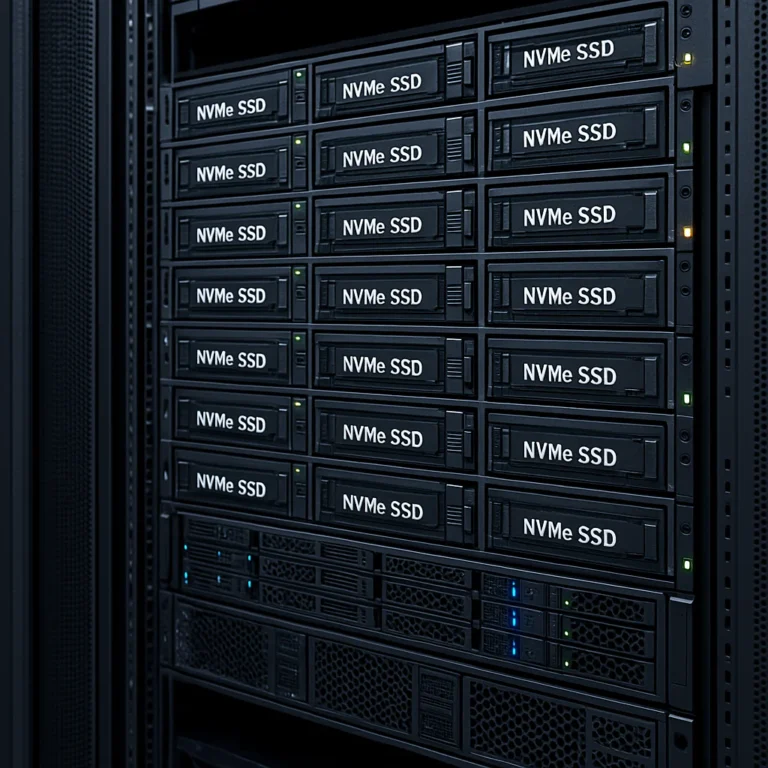
- Use of SSDs and NVMe storage for faster disk access.
🧩 Choosing the Right Web Hosting Provider for Speed Enthusiasts
Picking a fast web server is half the battle; choosing the right host is the other half.
What to Look For
- SSD or NVMe storage.
- Data centers near your users.
- Support for your preferred web server software.
- Built-in caching and CDN options.
- Transparent performance benchmarks.
Recommended Providers
- SiteGround: Known for excellent speed and support with LiteSpeed.
- A2 Hosting: Turbo servers optimized for speed.
- Cloudways: Managed cloud hosting with multiple server choices.
- DigitalOcean: Developer-friendly with fast SSD droplets.
Explore our Best Hosting Providers for detailed reviews and speed tests.
🤖 The Future of Web Servers: AI, Edge Computing, and Beyond
What’s next in the race for speed?
AI-Powered Optimization
- Servers that auto-tune based on traffic patterns.
- Predictive caching and resource allocation.
Edge Computing
- Running servers closer to users on edge nodes.
- Reducing latency to near zero.
New Protocols and Architectures
- HTTP/3 adoption growing.
- Serverless and microservices architectures changing how we think about “servers.”
The future looks fast—and fascinating!
🎯 Conclusion: Picking the Fastest Web Server That Fits Your Needs

After zooming through the landscape of the fastest web servers, here’s the bottom line from the Fastest Web Hosting™ pit crew:
- NGINX remains the undisputed champion for serving static content and handling massive concurrent connections with minimal resources. It’s battle-tested, widely supported, and an excellent choice if you want raw speed and flexibility.
- LiteSpeed is the turbocharged contender for dynamic content-heavy sites, especially PHP-based platforms like WordPress and Magento. Its built-in caching and HTTP/3 support give it a clear edge over Apache.
- Apache still holds value for legacy applications and those needing extensive customization, but it’s generally slower under heavy load compared to NGINX or LiteSpeed.
- Rust and C++-based servers like ntex and xitca-web are the new kids on the block, smashing raw request benchmarks with over a million RPS, but they require more technical know-how and are less common in shared hosting environments.
- Caddy offers a modern, secure, and easy-to-use alternative, perfect for developers who want automatic HTTPS and decent speed without wrestling with complex configs.
Final Thoughts
Choosing the fastest web server isn’t just about picking the one with the highest requests per second. It’s about matching your site’s needs, your technical comfort level, and your hosting environment. Combine your server choice with smart optimization, CDN integration, and a hosting provider that prioritizes speed, and you’ll have a website that flies.
Still wondering which server suits your unique project? Our Best Hosting Providers reviews can help you find the perfect match.
🔗 Recommended Links for Speedy Web Server Insights
-
NGINX:
the best and fastest hosting companies – NGINX | NGINX Official Website -
LiteSpeed Web Server:
the best and fastest hosting companies – LiteSpeed | LiteSpeed Official Website -
Apache HTTP Server:
the best and fastest hosting companies – Apache | Apache Official Website -
Caddy Server:
the best and fastest hosting companies – Caddy | Caddy Official Website -
Microsoft IIS:
the best and fastest hosting companies – IIS | Microsoft IIS Official Website -
OpenLiteSpeed:
the best and fastest hosting companies – OpenLiteSpeed | OpenLiteSpeed Official Website -
Node.js Servers:
the best and fastest hosting companies – Node.js | Node.js Official Website -
Tomcat Server:
the best and fastest hosting companies – Tomcat | Apache Tomcat Official Website -
Lighttpd:
the best and fastest hosting companies – Lighttpd | Lighttpd Official Website
❓ Frequently Asked Questions About Fastest Web Servers
What is the fastest web hosting service?
The fastest web hosting service depends on your specific needs, but providers that use LiteSpeed or NGINX servers with SSD/NVMe storage and CDN integration typically offer the best speed. Managed cloud hosts like Cloudways or DigitalOcean with optimized stacks also deliver excellent performance. Always check independent speed tests and real user reviews to confirm.
What are the alternatives to Apache and NGINX for high-performance web hosting?
Besides Apache and NGINX, alternatives include:
- LiteSpeed/OpenLiteSpeed: Known for speed and PHP optimization.
- Caddy: Modern, automatic HTTPS, easy config.
- Node.js-based servers: For event-driven, real-time applications.
- Rust/C++ frameworks: Like ntex and xitca-web, which excel in raw performance but require more technical expertise.
How does the choice of web server impact website loading times and user experience?
The web server affects how quickly your site responds to requests, especially under load. A faster server reduces Time to First Byte (TTFB), improving perceived speed and SEO rankings. It also handles more simultaneous users without slowing down, ensuring a smooth user experience.
What are the best web server configurations for optimizing website speed?
Key configurations include:
- Enabling caching (server-side and browser).
- Using HTTP/2 or HTTP/3 protocols.
- Optimizing TLS/SSL settings.
- Minimizing unnecessary modules.
- Tuning worker processes and keep-alive settings.
- Leveraging CDN integration.
Is Nginx faster than Apache?
✅ Generally, yes. NGINX’s event-driven architecture allows it to handle more simultaneous connections with less memory than Apache’s process-based model, making it faster under high traffic. However, Apache with event MPM and proper tuning can narrow the gap.
How do different web servers compare in terms of speed and resource usage?
- NGINX and LiteSpeed are highly efficient, using fewer resources per connection.
- Apache can consume more memory and CPU under load.
- Rust and C++ servers like ntex and xitca-web offer extreme speed but are less common.
- Node.js servers excel in real-time apps but may use more CPU for heavy loads.
What factors contribute to a web server’s speed and efficiency?
- Server software architecture (event-driven vs. process-based).
- Hardware specs (CPU, RAM, storage type).
- Network quality and latency.
- Server location relative to users.
- Configuration and caching strategies.
- Use of CDNs.
Which web server software is known for its high performance?
NGINX and LiteSpeed are widely recognized for high performance in production environments. Rust-based servers like ntex and xitca-web lead in raw benchmarks but are niche.
What is the biggest web server?
The term “biggest” can mean different things, but Google Web Server (GWS) powers Google’s vast infrastructure and handles billions of requests daily. It’s proprietary and not publicly available.
What do most web servers run on?
Most web servers run on Linux due to its stability, performance, and cost-effectiveness. Popular distros include Ubuntu Server, CentOS, and Debian.
What is the most popular web server application?
NGINX and Apache HTTP Server dominate the market share globally, with NGINX gaining ground rapidly due to its speed advantages.
Which country server is best for web hosting?
The best server location depends on your audience. Hosting close to your primary users reduces latency. For global reach, providers with multiple data centers worldwide (e.g., USA, Germany, Singapore) combined with CDN use are ideal.
What is a fast server speed?
A fast server speed means low latency, high requests per second, and quick Time to First Byte (TTFB). For example, TTFB under 100ms is excellent; RPS depends on workload but hitting thousands under load is a good benchmark.
📚 Reference Links and Further Reading
- TechEmpower Web Framework Benchmarks — Industry-standard performance tests.
- NGINX Official Documentation
- LiteSpeed Technologies
- Apache HTTP Server Project
- Caddy Server Official Site
- Microsoft IIS
- OpenLiteSpeed
- Node.js Official Site
- Apache Tomcat
- Lighttpd
- ServerFault: Fastest Web Server for Static, Dynamic Content?
- Fastest Web Hosting™ – Best Hosting Providers
- Fastest Web Hosting™ – Hosting Speed Test Results